
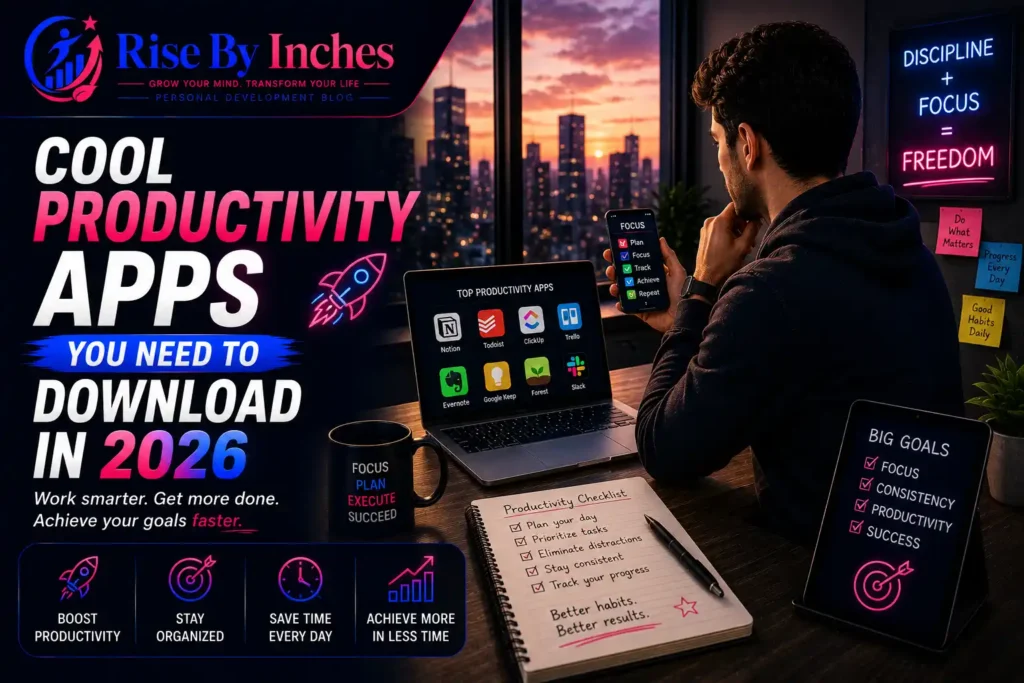

Most people don’t have a productivity problem. They have a tool problem. The average person now juggles a task manager, a calendar, a notes app, a time tracker, and three messaging platforms to get through a Tuesday — and every switch between them costs focus. The cool productivity apps worth downloading in 2026 aren’t the ones with the most features; they’re the ones that cut the number of apps you need in the first place. This guide breaks down the best AI task planners, deep focus tools, note-taking systems, and time trackers actually worth your storage space this year, plus how to combine them into a stack that doesn’t fight itself.
What Are the Coolest Productivity Apps in 2026?
The standout productivity apps of 2026 combine AI scheduling with minimal-friction design — Motion, Notion, Todoist, Obsidian, and Toggl Track lead the pack. Each solves a different piece of the puzzle: Motion handles adaptive scheduling, Notion centralizes your digital workspace, Todoist keeps task management simple, Obsidian handles deep note-taking, and Toggl Track brings automated time tracking without the manual logging headache.
Here’s a quick snapshot before we go deeper:
| App | Best For | Standout Feature | Price Tier |
| Motion | AI calendar assistant | Auto-reschedules your day around deadlines | Paid, free trial |
| Notion | Digital workspace | Docs, tasks, and databases in one place | Free tier available |
| Todoist | Simple task management | Natural language task entry | Free tier available |
| Obsidian | Note-taking apps 2026 | Local-first, linked notes | Free for personal use |
| Toggl Track | Automated time tracking | One-click tracking with idle detection | Free tier available |
How Can Productivity Apps Reduce App-Switching Fatigue?
Productivity apps reduce app-switching fatigue by consolidating overlapping functions — like tasks, notes, and calendars — into a single interface instead of five separate ones. Every time you toggle between apps, your brain needs a moment to reorient itself, and that moment adds up fast over the course of a workday.
This isn’t a minor annoyance. Research from the American Psychological Association has found that switching between tasks tends to make people slower and less accurate compared to focusing on one thing at a time, and Harvard Business Review has long advised professionals to structure their day around avoiding unnecessary toggling rather than embracing it. Cognitive neuroscience research published through the National Institutes of Health has similarly documented measurable “switch costs” — the brain doesn’t jump cleanly from one task to another; it drags residual attention from the last task into the next one, slowing you down each time.
The fix isn’t willpower. It’s architecture. A digital workspace like Notion or a linked-notes system like Obsidian reduces the number of places information lives, which means fewer reasons to alt-tab in the first place. When you pick your 2026 stack, ask a blunt question about each app: does it replace three tools, or just become a fourth?
Which AI Productivity App Is Best for Daily Scheduling?
Motion is the strongest AI calendar assistant for daily planning in 2026, automatically rebuilding your schedule as new deadlines, meetings, and priorities shift. Instead of you manually dragging tasks around a calendar every time something changes, Motion’s algorithm handles the reshuffling and automatically protects blocks of deep-focus time.
How Does an AI Task Planner Actually Work?
An AI task planner looks at your deadlines, your existing calendar commitments, and how long tasks typically take you, then slots your to-do list into the open gaps in your day. When a meeting runs long or a new urgent task comes in, the planner recalculates everything downstream instead of leaving you to shuffle the rest of your day manually.
A few names worth knowing in this category for 2026:
- Motion — the most aggressive auto-scheduler, ideal for people with unpredictable calendars like freelancers, founders, and consultants
- Reclaim.ai — strong for teams that need to protect recurring habits (workouts, deep work blocks) alongside meetings
- Google Calendar with Gemini scheduling assist — a lighter-weight option if you already live inside Google’s ecosystem and don’t want a separate subscription
If you’re building a routine around time blocking, pairing an AI scheduler with a simple structure can prevent your calendar from turning into another source of overwhelm. Rise By Inches has a deeper breakdown of that pairing in its guide to structuring your daily tasks.
What Are the Best Cool Productivity Apps for College Students in 2026?
College students get the most value from free-tier apps that combine task management with note organization, since juggling coursework, deadlines, and part-time work demands a system that doesn’t cost money to maintain. Notion remains the default recommendation because its free plan covers class notes, assignment trackers, and shared group-project boards in one place.
For students specifically, this combination tends to work well:
- Notion (free) for class notes, syllabus tracking, and assignment databases
- Todoist (free tier) for daily task capture using natural language (“Read Ch. 4 by Friday” auto-creates a due date)
- Forest or Focus To-Do for Pomodoro-style study sessions with built-in phone lockout
- Google Calendar for exam dates, office hours, and part-time work shifts
Students juggling course loads and part-time jobs often run into the same wall working professionals do: too many disconnected obligations and no single source of truth. Building a habit stack around consistent daily structure — something Rise By Inches covers in its guide to self-discipline — matters more than which specific app you download.
What Are the Best Deep Focus Apps in 2026?
Deep focus apps in 2026 combine Pomodoro-style timers with distraction blocking, and the strongest options pair a visual or gamified incentive with hard app-blocking rather than relying on self-discipline alone. The Pomodoro Technique — working in focused 25-minute intervals separated by short breaks — remains the backbone of most of these tools because the structure itself reduces the temptation to multitask.
What Makes a Focus App Actually Effective?
An effective focus app removes the decision to check your phone entirely rather than just reminding you not to. Apps that track time without blocking distractions tend to get ignored the moment a notification pulls your attention elsewhere.
Worth trying this year:
- Forest — grows a virtual tree during your focus session; leaving the app kills the tree, which sounds silly but works as a light behavioral nudge
- Freedom — blocks distracting apps and websites across your phone, tablet, and desktop simultaneously
- Focus To-Do — merges Pomodoro timing directly with task management, so you’re not switching between a timer app and a to-do list
If procrastination is the real issue rather than distraction, it helps to address the root cause directly. Rise By Inches offers a full walkthrough on overcoming procrastination that pairs well with any focus timer you choose.
What Are the Best Note-Taking Apps in 2026?
Obsidian leads note-taking apps in 2026 for anyone who wants a local-first, linked knowledge system, while Notion remains the better pick for teams that need shared, collaborative documents. The difference comes down to ownership and structure: Obsidian stores notes as plain-text files on your device and links them together like a personal wiki. At the same time, Notion lives in the cloud and is built for collaboration from the ground up.
| Feature | Obsidian | Notion |
| Storage | Local files (markdown) | Cloud-based |
| Best for | Solo deep thinkers, researchers | Teams, shared docs |
| Linking style | Bi-directional note links | Nested pages/databases |
| Collaboration | Limited, plugin-dependent | Native, real-time |
| Learning curve | Moderate to steep | Low to moderate |
Neither app is objectively “better” — they solve different problems. If your notes need to live inside a shared workspace with a team, Notion wins. If you’re building a personal knowledge base you’ll reference for years, Obsidian’s linking structure holds up better over time.
What Are the Best Time Tracking Tools for Remote Workers in 2026?
Toggl Track remains the top automated time tracking tool for remote workers in the USA, offering one-click tracking, idle detection, and reporting that doesn’t require manual timesheets. For distributed teams, visibility into where hours actually go matters more than micromanagement — good time tracking should inform better estimates, not create surveillance anxiety.
A few standouts by use case:
- Toggl Track — best all-around option, generous free tier
- Clockify — strongest free plan for larger teams needing unlimited users
- RescueTime — automatic background tracking with minimal manual input, useful for diagnosing where your day actually disappears to
For workflow tools built specifically for distributed teams in the UK and similar markets, the priority shifts slightly toward tools with strong async communication features layered on top of time tracking, since distributed teams lean more heavily on written updates than real-time meetings.
How Do You Build a Minimal Productivity App Stack?
A minimal productivity app stack in 2026 needs no more than four tools: one for tasks, one for notes, one for calendar/scheduling, and one for focus — anything beyond that starts creating the same fragmentation it’s meant to solve. The instinct to download a new app for every new problem is exactly what causes the fatigue in the first place.
A sensible baseline stack looks like this:
- Task manager: Todoist or Notion’s task database
- Notes: Obsidian or Notion
- Calendar/scheduling: Motion or Google Calendar
- Focus: Forest, Freedom, or a built-in Pomodoro timer
Before adding a fifth tool, ask whether an existing app in your stack can absorb the function instead. Notion, for example, can technically replace three of the four categories above on its own if you’re willing to build out the databases yourself.
Which Productivity App Is Best for ADHD Users?
For ADHD users, the best task management apps minimize setup friction and rely on visual or gamified feedback rather than dense lists, with Todoist’s natural-language entry and Forest’s visual growth mechanic both reducing the activation energy needed to start a task. Traditional list-based apps can become overwhelming quickly if there’s no built-in prioritization or visual hierarchy.
Features that tend to help most:
- Quick capture — the ability to dump a thought into the app in under five seconds, before it’s forgotten
- Visual progress — seeing a task move, shrink, or complete rather than just checking a box
- Built-in time blocking — because ADHD-related time blindness makes open-ended to-do lists especially unreliable
- Minimal notification noise — apps that batch reminders rather than pinging constantly
Structuring a day around energy levels rather than rigid time slots tends to work better for many people with ADHD. Rise By Inches explores this kind of adaptive daily structure in its guide to organizing your day.
How Do Workflow Automation Tools Fit Into a Productivity Stack?
Workflow automation tools like Zapier and Make connect your other apps so tasks, notes, and calendar events update automatically without manual re-entry, cutting down on the repetitive admin work that eats into deep-focus time. If you’re manually copying a task from an email into Todoist and then into your calendar, automation removes that entire chain.
A simple automation worth setting up: when a new task gets added to Todoist with a due date, automatically create a matching calendar block in Google Calendar. That one connection alone eliminates a recurring source of double-entry and missed deadlines.
Frequently Asked Questions
What is the difference between a productivity app and a project management tool?
A productivity app typically manages personal tasks, notes, and time for one person, while a project management tool coordinates work across a team with assigned roles, shared deadlines, and dependencies. Apps like Todoist lean personal; tools like Asana or ClickUp lean team-oriented.
Are free productivity apps good enough, or do I need to pay?
Free tiers of apps like Notion, Todoist, and Toggl Track comfortably cover most individual needs. Paid tiers mainly add automation, team collaboration, and higher usage limits, which matter more once you’re managing a team or a business rather than personal tasks.
How many productivity apps should I actually use?
Most people do best with three to four apps covering tasks, notes, calendar, and focus. Adding more than that tends to recreate the exact fragmentation and app-switching fatigue these tools are supposed to solve.
Can AI task planners replace a traditional to-do list?
AI task planners like Motion don’t replace your task list — they replace the manual work of scheduling it. You still need to input tasks; the AI decides when you’ll do them based on your calendar and deadlines.
Is the Pomodoro Technique still effective in 2026?
Yes. The core idea — working in focused intervals with built-in breaks — still holds up because it works with the brain’s natural attention span rather than against it, and most modern focus apps are built directly around this structure.
What’s the best productivity app for someone just starting?
Todoist is the easiest entry point for beginners. Its natural-language task entry and clean interface mean you can start organizing your day within minutes, without the setup time Notion or Obsidian require.
Building a Stack That Actually Sticks
The productivity apps worth your attention in 2026 aren’t the ones packed with the most features — they’re the ones that quietly remove friction from your day. Start with one problem: too many scattered tasks, too much context switching, or too little focus time. Pick one app to solve that specific problem, use it consistently for two weeks, and only then decide whether you need to add another tool to the stack.
For more on building daily systems that support whatever apps you choose, explore Rise By Inches’ guide to time management tools and start building a routine that actually holds up under a busy week.



Pingback: 21 Best Science-Backed Productivity Habits to Build Focus