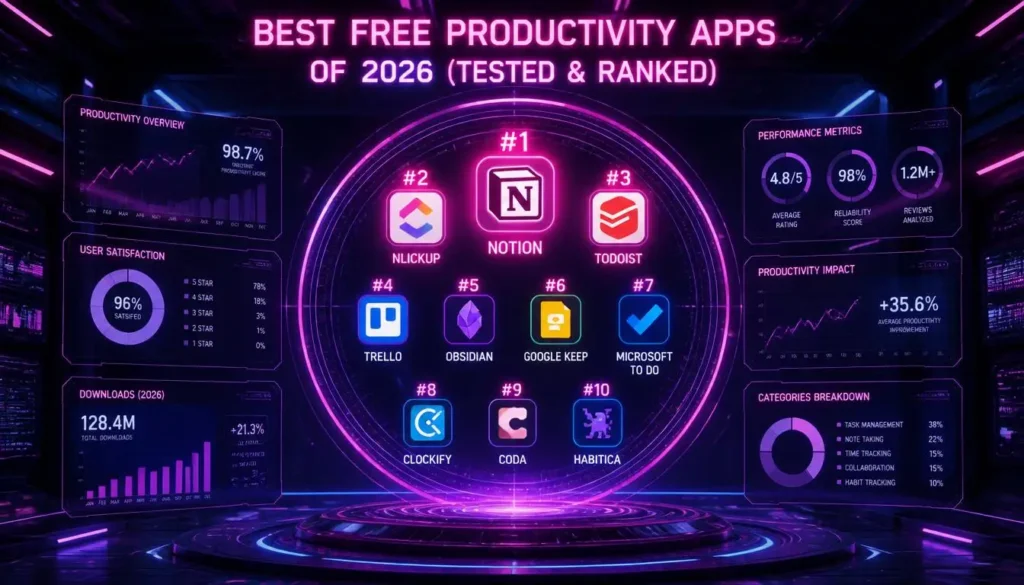

Most “best productivity apps” lists are just marketing copy dressed up as advice. We actually used these tools — daily, across phones, laptops, and tablets — before ranking them. Here’s what earned a spot, what got cut, and why. The best overall free productivity app in 2026 is Todoist, thanks to its balance of natural-language task entry, generous free-tier limits, and reliable cross-platform sync. However, several tools below beat it for specific use cases like note-taking or time tracking.
What is the overall best free productivity app in 2026?
Todoist remains the top free productivity app in 2026 because it combines fast task capture, solid recurring-task logic, and a free tier that covers real daily use rather than crippling it after a week. It supports natural-language due dates (“every Monday at 9am”), syncs instantly across iOS, Android, Mac, Windows, and web, and its Karma system gives just enough gamification to build a habit without feeling gimmicky.
Where it falls short: the free plan caps you at five active projects and limited filters, which matters if you’re running multiple client workflows. For that, you’ll want one of the alternatives further down this list.
Comparison Table: Best Free Productivity Apps of 2026
| App | Best For | Platform Sync | Free Limits |
| Todoist | Overall task management | iOS, Android, Mac, Windows, Web | 5 active projects, 5 collaborators |
| TickTick | Task manager with built-in Pomodoro | iOS, Android, Mac, Windows, Web | Unlimited tasks, 2 lists shared |
| Notion | All-in-one workspace and knowledge base | iOS, Android, Mac, Windows, Web | Unlimited personal use, limited file uploads |
| Trello | Visual kanban project boards | iOS, Android, Web, Desktop apps | 10 boards per workspace |
| Obsidian | Personal knowledge base, markdown notes | iOS, Android, Mac, Windows, Linux | Fully free for personal use, sync costs extra |
| Google Tasks | Lightweight task list inside Gmail/Calendar | iOS, Android, Web | Unlimited, but minimal features |
| Toggl Track | Time tracking for freelancers | iOS, Android, Mac, Windows, Web, Browser extension | 1 user, unlimited time entries |
| Forest App | Focus sessions and phone-distraction blocking | iOS, Android | Core features free, tree species locked |
Are free productivity apps safe and sufficient for personal work?
Yes — for individual use, free tiers from established apps like Todoist, Notion, and Obsidian are both secure and functionally complete for daily task management, note-taking, and planning. The gaps in free plans tend to show up around collaboration limits (fewer shared boards, fewer collaborators) rather than security or core functionality. Data is generally encrypted in transit, and reputable apps publish their security practices publicly. The real risk with free tools isn’t safety — it’s vendor lock-in if the app changes its pricing model later, so exporting your data periodically is smart practice regardless of which app you use.
The Full Ranked List: 8 Free Productivity Apps Worth Using
1. Todoist — Best Overall Task Manager
Todoist earns the top spot because it does the fundamentals better than almost anyone else. Type “submit report every Friday at 4pm” and it parses that instantly into a recurring task—no fiddling with dropdown menus. The Eisenhower Matrix crowd will appreciate the priority flagging system (P1 through P4), and the filter/label combination lets you build something close to a Getting Things Done (GTD) system without paying for premium.
Real limitation: once you’re managing more than five active projects — which happens fast if you separate work, home, and side projects — you’ll hit the free ceiling.
2. TickTick — Best Free Task Manager With a Built-In Pomodoro Timer
TickTick does everything Todoist does, then adds a genuinely useful built-in Pomodoro Technique timer and calendar view, all in the free tier. If you want task management and focus sessions in one app instead of juggling two, TickTick is the more efficient choice. Its habit tracker is also free, which many competitors lock behind a paywall.
3. Notion — Best All-in-One Workspace
Notion isn’t just a task manager — it’s a flexible database, wiki, and planning system in one. You can build a personal knowledge graph, a project tracker with kanban boards, and a daily journal, all connected through linked databases. The tradeoff is a learning curve. Notion rewards people willing to spend an hour setting up templates and punishes people who want to open the app and add a task.
For readers building a full personal operating system rather than a simple to-do list, our guide on the best apps for planning walks through how to structure a Notion workspace around actual goals instead of just collecting pages.
4. Trello — Best Free Visual Kanban Tool
Trello’s card-and-column system is the simplest implementation of Kanban boards available for free, and it’s ideal for people who think visually rather than in lists. Ten boards per workspace is a real constraint for heavy users. Still, for managing one active project — a job search, a home renovation, a content calendar — it’s more than enough, and the drag-and-drop interface has essentially zero learning curve.
5. Obsidian — Best Free Note-Taking App for a Personal Knowledge Base
Which free note-taking app is best for building a personal knowledge base? Obsidian, because it stores notes as local Markdown files linked together into a knowledge graph, giving you full ownership of your data and a genuinely powerful way to connect ideas across hundreds of notes without relying on a single cloud provider. Unlike Notion or Evernote, your notes aren’t locked inside a proprietary format — they’re plain text files you could open in any editor, forever.
The catch: cross-device sync isn’t free (Obsidian charges a small fee for their official sync service), though you can route around that using a free cloud storage folder if you’re comfortable with the setup.
6. Google Tasks — Best Lightweight Option for Gmail Users
If you already live in Gmail and Google Calendar, Google Tasks removes friction entirely — tasks appear right next to your inbox and calendar, no separate app required. It’s intentionally minimal: no tags, no priority levels, no subtasks beyond one level deep. That’s a feature, not a bug, for people who find complex systems become their own procrastination.
7. Toggl Track — Best Free Time Tracking Tool for Freelancers
Time tracking tools solve a different problem than task managers: not what you should do, but where your hours actually went. Toggl Track’s free tier supports unlimited time entries for a single user, a browser extension that tracks time with one click, and exportable reports — genuinely useful for freelancers billing hourly or anyone auditing where their day disappears to.
8. Forest App — Best Free Focus and Distraction-Blocking App
Forest gamifies the Pomodoro Technique: start a focus session, a virtual tree grows, and leaving the app to check social media kills the tree. It sounds gimmicky until you’ve felt genuinely reluctant to kill a small pixelated tree over checking Instagram. The core planting mechanic and session tracking are free; additional tree species and some social features sit behind a small paywall.
What is the best free task manager with Pomodoro features?
TickTick is the best free task manager with a built-in Pomodoro timer, since it merges task lists, calendar scheduling, and focus sessions into a single free app — most competitors require pairing a separate timer app like Forest or Focus Keeper alongside your task manager.
How do free productivity tools handle cross-device synchronization?
Most major free productivity apps sync through their own cloud servers using account-based login, updating in near real time across devices connected to the internet. The exceptions are local-first tools like Obsidian, which store data on-device and either require a paid sync service or a manual workaround through third-party cloud storage. For anyone working across a phone, laptop, and tablet, checking sync behavior before committing to a tool matters more than most people realize — nothing kills a habit faster than opening your phone to find yesterday’s tasks missing.
How Rise By Inches Helps You Build a System, Not Just Download an App
Downloading a productivity app solves nothing on its own — plenty of people have five task managers installed and still feel behind. The tools above are only useful inside a system that fits how you actually work. That’s the gap Rise By Inches focuses on closing. Our breakdown of time management methods, ranked pairs directly with this list, helping you match a specific app to a specific method — Pomodoro with TickTick, time blocking with Google Calendar plus Google Tasks, GTD with Todoist’s label system. We also maintain a running guide to productivity tools as apps update and new ones emerge, so this isn’t a one-time list that goes stale.
According to a Gartner survey of nearly 5,000 employees reported by CIO Dive, the average desk worker now juggles eleven separate apps to get through the day — nearly double the number from 2019 — which is exactly why sync reliability and cross-platform support matter as much as feature lists when choosing a free tool.
Frequently Asked Questions
What’s the best completely free task manager with no paid tier needed?
Google Tasks, if your needs are simple. For more structure without hitting a paywall quickly, TickTick’s free tier covers most individual use cases fully.
Can I run a small business using only free productivity apps?
Yes, up to a point. Trello and Todoist’s free tiers work well for a solo operator or a very small team. Still, collaboration limits (board counts, collaborator counts) will eventually push growing teams toward a paid plan.
Is Notion or Obsidian better for personal note-taking?
Notion is better if you want databases, collaboration, and an all-in-one workspace. Obsidian is better if you want full ownership of your notes as local files and a more powerful way to link ideas together.
Do free productivity apps show ads?
Most reputable task and note apps (Todoist, TickTick, Notion, Obsidian) do not show ads on their free tiers — they monetize through premium feature upgrades instead.
What’s the best free app for tracking billable hours as a freelancer?
Toggl Track, due to its unlimited time entries on the free plan and clean exportable reporting.
Which app is best for people with ADHD who struggle with traditional to-do lists?
Forest App paired with TickTick tends to work well — Forest addresses distraction directly. At the same time, TickTick’s simple, low-friction task entry avoids the setup overwhelm that more complex tools like Notion can create.
The Bottom Line
Free doesn’t mean compromised anymore. Todoist, TickTick, Notion, Trello, Obsidian, Google Tasks, Toggl Track, and Forest each solve a real problem well, and most people will end up using two or three of them together rather than one do-everything app. Pick the one that matches the method you’re actually trying to build, not the one with the flashiest feature list. Start your journey to improve yourself with Rise By Inches, and pair whichever app you choose with a system built to make it stick.